

Branches allow you to manage multiple outlet locations under one store. This helps you track activity, assign campaigns, and manage performance across different locations.
📌 Branch Limits by Plan
Each plan comes with a different branch limit:
How to Add a Branch
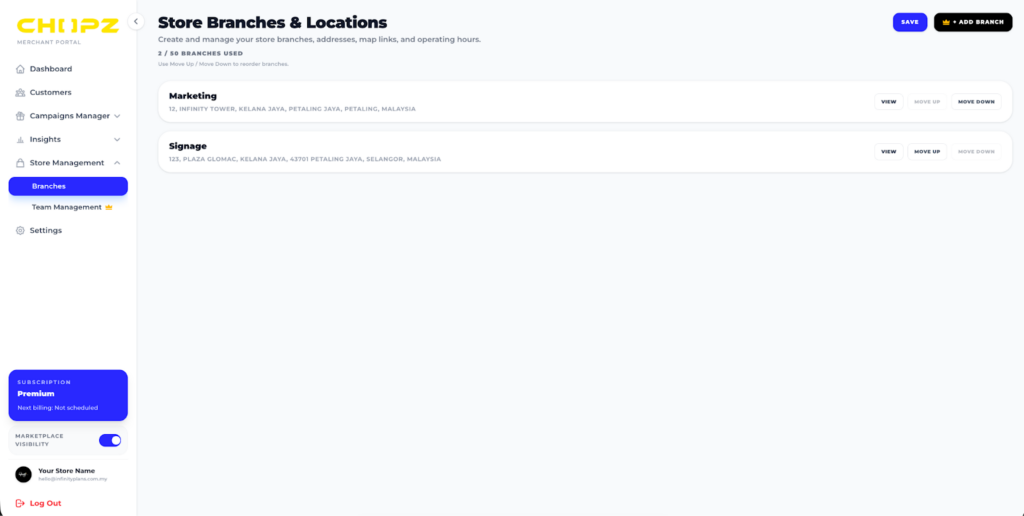
⚠️ Reaching Your Limit
If you’ve reached your branch limit:
- You won’t be able to add new branches
- You can:
- Delete an existing branch to free up space, or
- Upgrade your plan to increase your limit
- Delete an existing branch to free up space, or
💡 Tips
- Use clear naming (e.g. SS15 Outlet, Mid Valley Branch)
- Assign campaigns per branch for better tracking
- Keep your branch list updated for accurate reporting
🚀 Need More Branches?
Upgrade your plan anytime in 设置 (Setting) → 订阅(Subscription) to unlock more branches and scale your business.
Advertisement